Hours of footage.
A place to start.
Turn a witness description into moments you can actually review. Search, inspect, and follow the evidence in one workspace.
Explore the search tools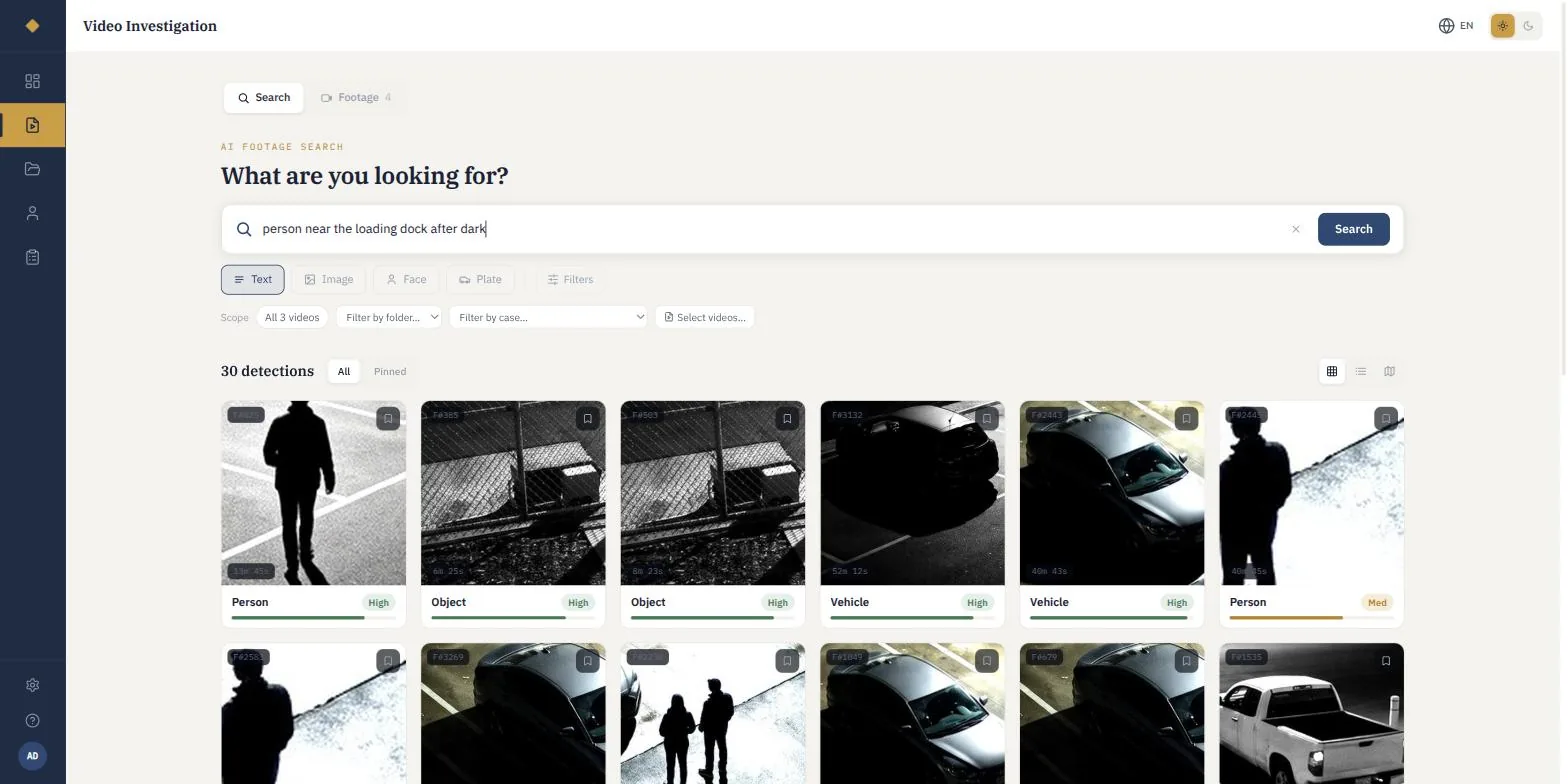
Describe the moment
Start with what you know, in your own words.
Review the candidates
Confidence, camera, and timestamp guide your next step.
Keep the source in reach
Every result points back to a frame in the original file.
For investigators.
For the case ahead.
The next lead is already
somewhere in your footage.
Your cameras captured it. Your evidence system keeps it. Veritas helps you find it, examine it, and carry it into the case with its history intact.
Start with what
you know.
A description. A photograph. Part of a plate. Each gives you a different way into the same footage.
White pickup near the loading dock after dark
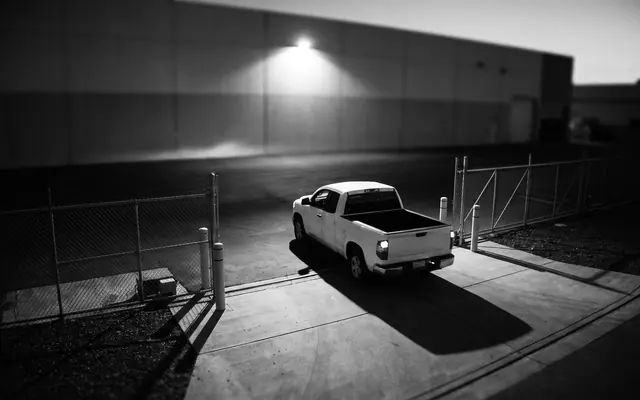
From a description to a detection.
Open a candidate to inspect the source footage. Results guide the investigator; the investigator makes the assessment.
Intelligence stays here.
Your evidence.
Your network.
Full stop.
Search and processing run on an appliance in your building. Your team can inspect the system, control access, and work without a cloud connection.
Discuss your deploymentStart with a watched folder.
Open a browser on your network.
Keep your footage on your hardware.
Find the moment.
Keep its history.
Discovery is only the beginning. Preserve the source, record the review, and document what leaves your office.
- 01
Fingerprint
SHA-256 hashes identify the exact bytes written at extraction.
Source identified - 02
Review
Searches, views, and reviewer actions enter a hash-chained audit trail.
Actions recorded - 03
Redact
Blur faces and plates on the exported copy. Preserve the original.
Original preserved - 04
Disclose
Track a named recipient, package expiry, and access history.
Hand-off documented
Open the record.
A trail you can inspect.
Hash-chained entries make changes to the recorded history detectable. The audit screen connects each action to its actor and time.
Inspect the interface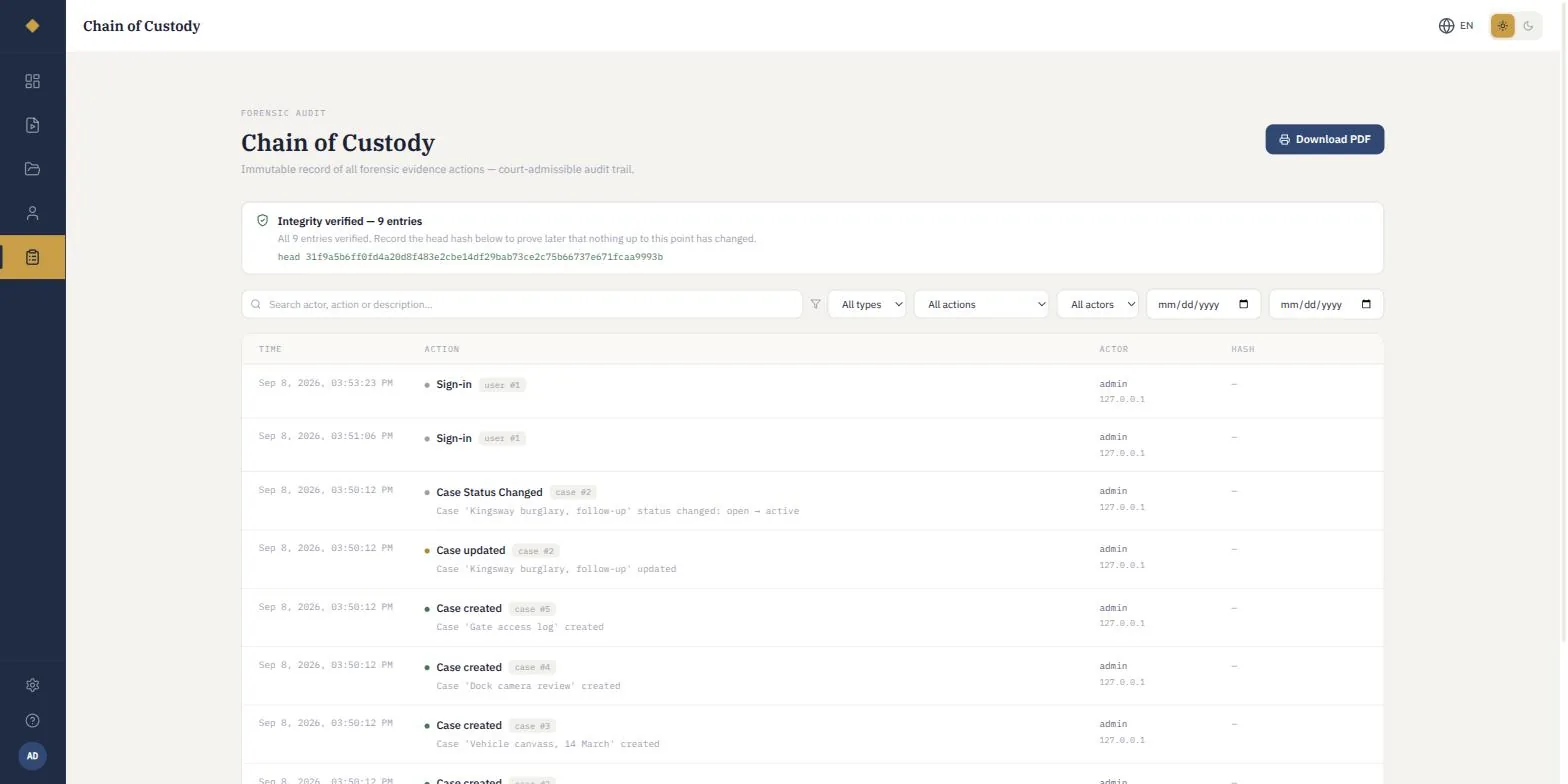
A practical first step
Give it a case.
Give it 60 days.
Put an appliance in your building and evaluate it against the work your team actually does.
Plan your pilotYOUR OWN FOOTAGE
- 01
Deploy locally
Your cases, on a unit in your building.
- 02
Evaluate the workflow
Search, review, and export with your investigators.
- 03
Make the purchase decision
The pilot fee is credited in full against the appliance purchase.
Straight answers
The questions every office asks.
We already use Axon. Does this replace it?
No, and it should not. Keep it. Axon stores and shares evidence well. Veritas sits behind whatever you already run and makes the archive searchable. The question worth asking is what an investigator does today when they need every white pickup on the 14th.
Our policy does not allow facial recognition.
Then leave it switched off. Face matching is a module, and the audit trail records that it is disabled. Most of the value is in plain-language description search, which involves no biometric matching at all.
Is it CJIS compliant?
It never transmits criminal justice information anywhere, because it has no external connection. It runs inside your network on hardware you control, and your security team can audit the appliance directly.
How do we know the system did not miss something?
It is a search tool, not a decision-maker. It surfaces candidates for a human to review, ranked by confidence, and every action a reviewer takes is written to the chain of custody. It narrows where to look; it does not decide.
What happens if the appliance fails?
The database is backed up nightly and a spare unit can be supplied. Every evidence hash is held in the database, so a restored unit re-verifies a separately restored media library file by file.
We need it to work with our existing system.
Watched-folder ingest works on day one, which is why nothing has to be rebuilt before you see whether it helps. Named integrations get built when a customer names one.
THE NEXT STEP IS A CONVERSATION
Bring one case.
Find your next lead.
Thirty minutes, your own footage, and a question you have not been able to answer quickly. That is the whole demo.